
Why Does My Air Fryer Screen Blink? A Practical Troubleshooting Guide

If your air fryer screen is blinking, it may be doing something normal — or it may be warning you about a power issue, an error, or a control panel problem. The fastest way to tell the difference is to look at when it blinks and what else is happening.
A brief blink when you plug the unit in, switch modes, or start preheating is often harmless. A screen that keeps flashing, resets itself, shows an error code, or blinks along with heat, smoke, or a burning smell is a different story. In that case, stop using the appliance and troubleshoot it before cooking again.
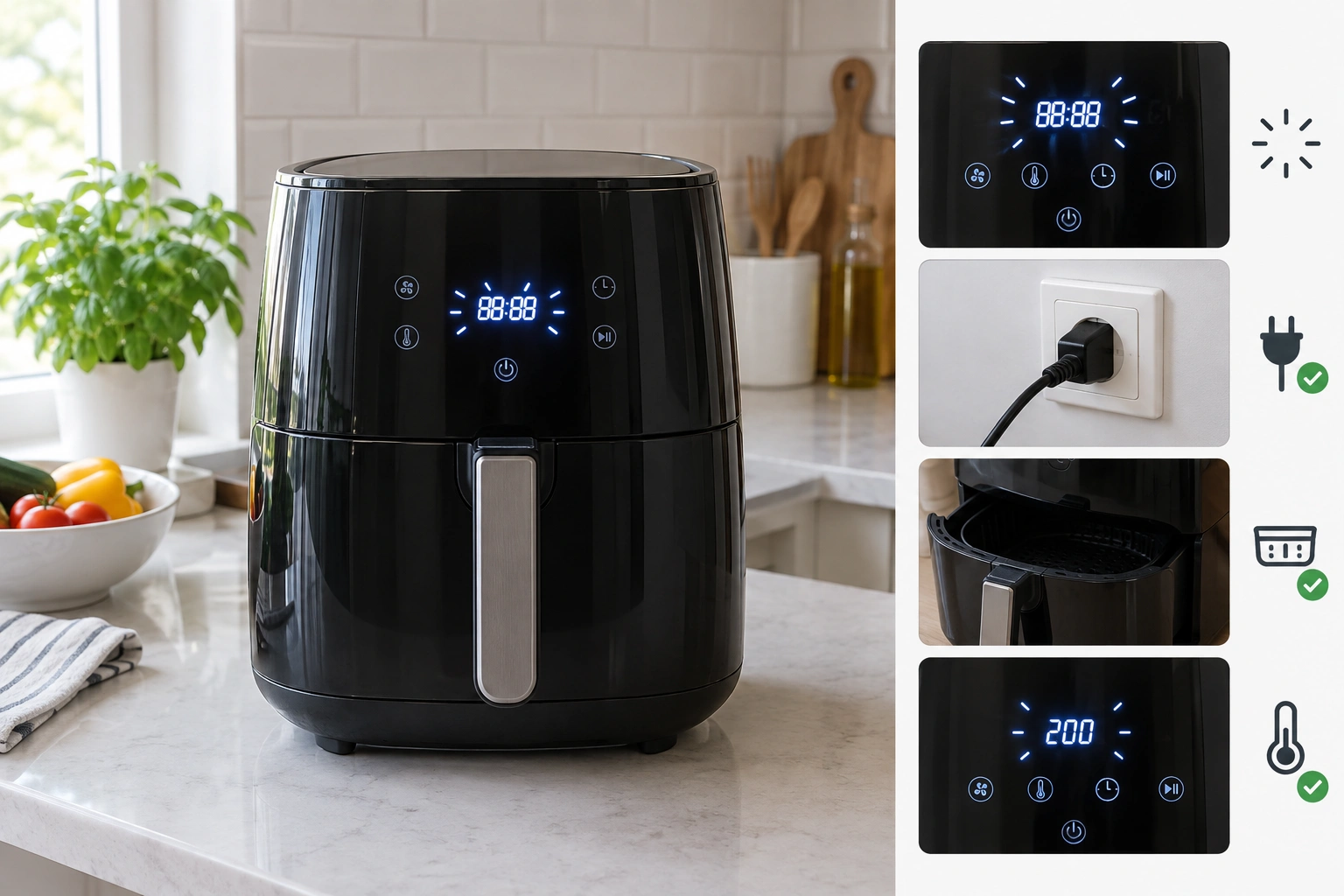
Quick answer: what a blinking display usually means
In plain terms, a blinking air fryer screen usually falls into one of four buckets:
- Normal startup or mode change behavior
- Power supply trouble
- A coded error or safety shutdown
- A failing control panel or electronics issue
Digital air fryers use a control board with a screen and touchpad, while manual models usually rely on dials and indicator lights rather than a true blinking display. That matters because a digital screen can flicker for reasons a manual unit never would. If you have a digital model, a brief flash does not automatically mean the machine is broken.
A good first question is simple: does the screen blink briefly, or does it keep blinking and prevent normal use? That distinction tells you whether you are likely dealing with normal behavior or a fault.
When blinking is normal vs when it signals a problem
Some blinking is part of the appliance’s normal behavior. Other blinking is a warning sign.
Usually normal
- The screen flashes for a moment when you plug the air fryer in
- The display blinks when you change temperature or cooking mode
- The unit flashes during preheating, then settles into a steady display
- Indicator lights on a manual model turn on and off as the unit cycles
More likely a problem
- The display keeps flashing and the air fryer will not start
- The screen turns on and off repeatedly
- Buttons respond only sometimes
- The unit loses power when you touch the cord or move the appliance
- A code appears on the screen instead of normal numbers
- Blinking happens with unusual heat, a smell, or a shutdown
A useful rule: if the blinking is brief and the air fryer otherwise works, it is probably normal; if the blinking blocks cooking or comes with other symptoms, treat it as a fault.
Check the power source first
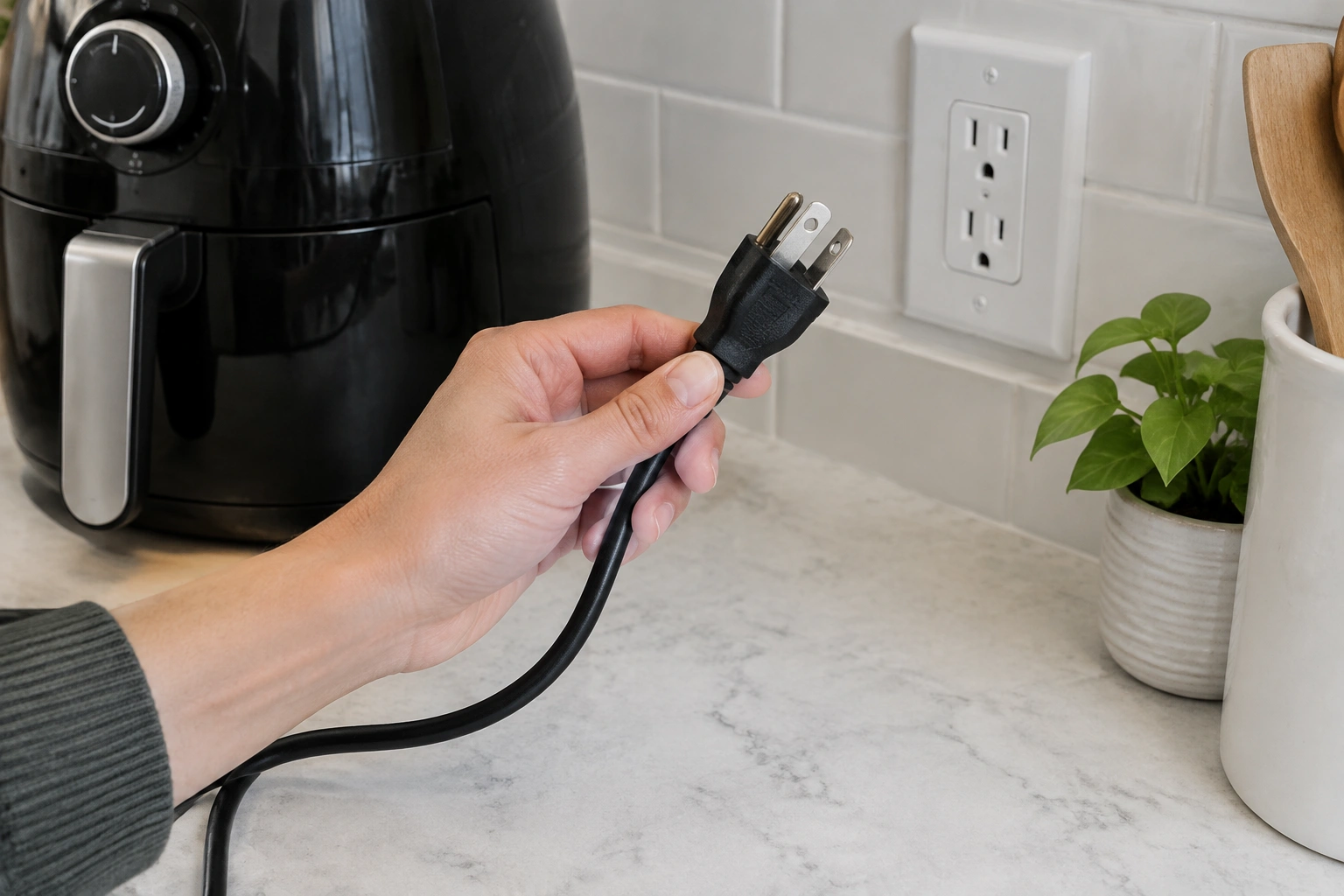
Before assuming the air fryer itself is broken, check the simplest causes: the outlet, plug, cord, and any power strip or extension cord in use.
A loose plug can cause the display to flicker or reset. A weak outlet can do the same. Power strips can also introduce problems, especially if they are overloaded or worn out.
Try this order:
- Unplug the air fryer
- Inspect the cord and plug for visible damage
- Plug it directly into a wall outlet
- Try a different outlet if the first one seems unreliable
- Avoid using a power strip or extension cord unless the manual says it is acceptable
Testing the air fryer directly in a wall outlet helps isolate whether the issue is the appliance or the extra connection in the middle. If the screen stops blinking after you move the appliance to another outlet, the original outlet, strip, or extension cord may be the problem. That is a much easier fix than replacing the appliance.
What to look for on the cord and plug
- Bent prongs
- Loose fit in the outlet
- Cracks or fraying
- Heat at the plug end
- Burn marks or discoloration
If you see visible damage, stop there and do not keep testing the unit.
Reset the air fryer safely
A simple power cycle can clear a minor glitch in the control board. This is the next step if the outlet and cord look fine.
Safe reset steps
- Turn the air fryer off if it still responds
- Unplug it from the wall
- Wait at least a few minutes so it can fully power down
- If the unit was hot, let it cool completely
- Plug it back in directly to a wall outlet
- Turn it on and check whether the display is steady
If the screen was blinking because of a temporary electronic hiccup, this often clears it. If the blinking returns right away, the issue is probably deeper than a simple reset.
Do not keep unplugging and replugging a unit that is overheating, smells burnt, or shuts down repeatedly. That is no longer a “try again” situation.
Look for an error code or overheating protection
Sometimes a flashing screen is not random at all. It may be the appliance’s way of showing an error code or a safety shutdown.
Some air fryers display a specific code, while others simply flash when they enter a protection mode. Flash patterns and error meanings can vary by model, so check the user manual first before assuming the blinking is a generic overheating issue. If you see letters or numbers on the screen, treat that as a code first, not as ordinary blinking.
Signs it may be overheating protection
- The air fryer stopped mid-cook
- The display started flashing after a long run
- The unit feels unusually hot
- It resumes only after cooling down
- It works again briefly, then shuts off or blinks again
If overheating protection is the cause, let the appliance cool fully before using it again. A quick restart may make the unit run for a moment, but repeated shutdowns suggest a real problem with airflow, internal sensors, or the control system.
For food safety, follow official guidance when cooking temperatures and doneness matter. The USDA’s food safety resources are a good reference for safe internal temperatures and handling practices.
Comparison table: normal blinking, power issues, error codes, and hardware failure
| What you see | Most likely meaning | Best next step |
|---|---|---|
| Brief blink at startup | Normal behavior | Use the air fryer as usual |
| Flashing during mode change or preheat | Often normal | Wait a moment and see if it stabilizes |
| Screen blinks, then goes dead | Power issue | Check outlet, plug, and cord |
| Display shows a code | Specific fault or safety alert | Check the manual for that code |
| Blinking after overheating | Thermal protection | Let unit cool completely |
| Persistent flashing after reset | Possible control panel failure | Stop using and contact support |
This table is not a diagnosis tool, but it helps narrow down the likely cause quickly.
Inspect the control panel and buttons for signs of malfunction
If the power source checks out and a reset does not help, the control panel itself may be the problem.
Touch controls can become intermittent if the panel is worn, dirty, or failing internally. On some models, one button may register only part of the time, or the display may blink because the board is losing stable contact.
Clues the control panel may be failing
- Buttons work only after pressing them several times
- The screen flickers when you touch the panel
- The display lights up but does not hold settings
- The unit randomly switches modes or turns off
- The screen stays on, but the controls do not respond
At this point, avoid taking the appliance apart. Opening the unit can create a safety risk and may void the warranty. If the control board is failing, that is usually a repair-or-replace decision rather than a home fix.
What to do if the screen keeps blinking after a reset
If the air fryer still blinks after you have checked the outlet, inspected the cord, and power-cycled the machine, move from troubleshooting to decision-making.
Use this path
- Check the manual again for any model-specific flash pattern or code
- Confirm the unit has cooled fully if it shut down during cooking
- Test one different wall outlet if you have not done so already
- Stop using the appliance if the blinking is accompanied by heat, smell, or shutdowns
- Contact support if the unit is under warranty or the problem repeats
A useful comparison: if the screen blinked once after plugging in and then worked normally, that is usually harmless. If it blinks every time you try to use it, the issue is probably not temporary.
When to consult a professional
You do not need to keep troubleshooting forever. Some symptoms mean it is time to stop using the air fryer and get outside help.
Contact customer support or service if:
- The screen keeps blinking after a reset
- The cord or plug is damaged
- The display shows an error code you cannot identify
- The appliance overheats or shuts off repeatedly
- Buttons or touch controls fail consistently
- The unit is still under warranty
Replace the air fryer sooner if:
- It is old and repairs cost close to a new unit
- The display problem keeps returning
- The control board seems unreliable
- There is visible heat damage or burning odor
- The appliance no longer holds settings or powers on reliably
For a newer unit, support or warranty service may be worth the effort. For an older model with repeated faults, replacement is often the more practical choice.
Safety warnings: when not to keep using the appliance
Unplug the air fryer immediately and stop using it if you notice any of these:
- Burning smell
- Smoke
- Melted or damaged cord
- Hot plug or outlet
- Repeated shutdowns or resets
- Visible sparking
- The display blinks along with unusual heat
These are not minor glitches. They point to a safety issue, and continued use could make the problem worse.
If the air fryer is also making other unusual noises, that can help confirm a broader mechanical or electrical issue. I cover that in my guide to why an air fryer makes a clicking noise, which is useful when you are trying to separate normal operation from a real fault.
A simple decision rule you can trust
If you want the shortest possible answer, use this:
- Brief blink, then normal operation: probably fine
- Blinking tied to a loose plug or outlet: power issue
- Blinking with a code or shutdown: follow the manual
- Blinking after reset and cooling: likely a hardware problem
- Blinking plus smell, smoke, or heat: unplug and stop using it
That approach keeps you focused on the safest next step without overcomplicating the problem.
FAQs
Why does my air fryer screen blink when I plug it in?
A brief flash at startup can be normal, especially on digital models. If the blinking stops and the appliance works normally, it usually is not a fault.
Is a blinking screen always an error?
No. Some air fryers blink during startup, preheating, or mode changes. A persistent blinking display, though, often points to a power issue, code, or malfunction.
How do I reset my air fryer?
Unplug it, wait a few minutes, let it cool if needed, then plug it back directly into a wall outlet. If the screen still blinks immediately, the problem is likely not a temporary glitch.
Could the outlet or cord be causing the blinking?
Yes. A loose plug, faulty outlet, worn power strip, or damaged cord can interrupt power and make the display flash or reset.
What if the screen keeps flashing after I unplug it?
If it still flashes after a proper reset and a different outlet, the control panel or internal electronics may be failing. Stop using the unit and contact support.
Should I keep using it if the screen blinks but it still cooks?
Only if the blinking is clearly normal startup or mode-change behavior and the appliance otherwise works as expected. If the flashing is persistent or comes with heat, smell, or shutdowns, stop using it.
When should I replace the air fryer?
Replacement makes sense when the display problem keeps returning, the unit is out of warranty, or repair is not practical for the age and condition of the appliance.
Do manual air fryers blink the same way digital ones do?
Not usually. Manual models generally use dials and indicator lights, while digital models have a screen and touch controls that can blink or flicker in more ways.
Does a blinking screen mean the air fryer is unsafe?
Not by itself. But blinking combined with smoke, burning smell, unusual heat, or repeated shutdowns is a safety warning and should be taken seriously.
Can overheating make the screen blink?
Yes, some models use flashing or shutdown behavior as part of overheating protection. If that happens, let the unit cool completely before trying again.
Where can I check official safety guidance for cooking temperatures?
For food safety basics, use trusted public guidance such as the USDA Food Safety and Inspection Service. That is especially helpful when you are also troubleshooting an appliance and want to keep cooking practices safe.
If your air fryer screen is blinking, the key is not to guess. Check whether the behavior is brief and normal, or persistent and tied to a power problem, error code, or hardware issue. Then follow the manual, reset if appropriate, and stop using the appliance if safety warnings appear.