
How to Use a Digital Kitchen Scale for Better Baking, Meal Prep, and Everyday Cooking

A digital kitchen scale is one of the simplest tools for making home cooking more consistent. It helps you measure ingredients by weight instead of volume, which is especially useful when you want repeatable baking results, tighter meal prep portions, or less food waste.
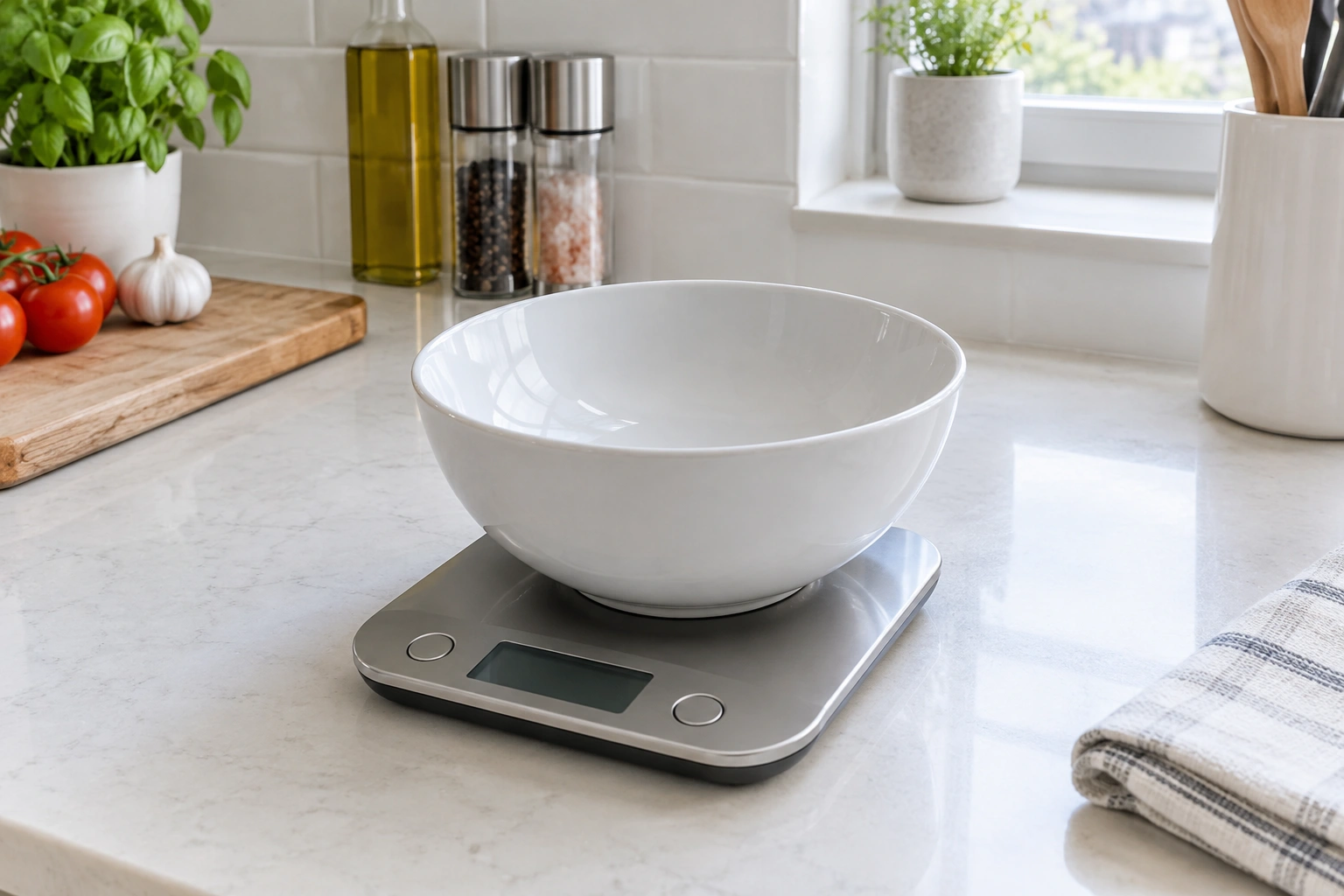
If you’ve ever wondered why one cup of flour can behave differently from another, weight is the reason. Cups can be packed lightly or heavily. A scale removes that guesswork by showing exactly how much you’ve added.
For busy households, that matters in practical ways. A scale can make it easier to portion chicken, rice, oats, nuts, cheese, and baking ingredients. It also helps when you want to scale a recipe up or down without doing mental gymnastics.
What a Digital Kitchen Scale Does and Why It’s Useful
At its core, a digital kitchen scale tells you the weight of what’s on it. That may sound basic, but it changes how you cook.
When a recipe gives ingredient weights, the result is usually more consistent than using cups or spoons. Weight does not depend on how tightly you pack an ingredient or how much air is trapped in it. That is why many bakers prefer weighing flour, sugar, cocoa powder, and yeast.
Meal prep benefits too. If you want four 4-ounce portions of chicken or 150-gram servings of rice, a scale makes the job straightforward. You can portion food before it goes into containers, which helps with budgeting and planning.
A practical rule: use weight whenever precision matters. Use cups and spoons when speed matters more than exactness and the recipe is forgiving.
Know the Main Parts and Buttons Before You Start
Most digital kitchen scales have a few standard parts:
- Weighing platform: the flat surface where the bowl, plate, or food sits
- Display: the screen that shows the weight
- Power button: turns the scale on or off
- Tare or zero button: resets the display to zero after you place a container on it
- Unit button: switches between grams, ounces, pounds, or other supported units
Some models label the tare function as tare, zero, on/clear, or something similar. The wording can vary, but the job is the same: it removes the container’s weight so you only measure the ingredient.
A few scales also include milliliters or fluid-ounce modes. Those are model-specific, so check your manual if you plan to use them for liquids. Milliliters are not a universal substitute for grams unless the scale is specifically designed for liquid measurement.
Set Up the Scale for Accurate Readings
A scale can only be as reliable as the surface beneath it. Place it on a flat, stable countertop, not on a towel, cutting board, or uneven mat. Soft surfaces can cause unstable readings.
Turn the scale on before you begin. Then wait for the display to settle at zero or the starting reading shown by your model. If the numbers are still blinking or shifting, give it a second before adding anything.
This small pause matters because a moving display can lead to a wrong first measurement. If you’re weighing multiple ingredients, that first stable zero gives you a clean starting point.
For best results, keep the scale away from the edge of the counter where it might wobble if you bump it.
How to Use the Tare Function Step by Step
The tare function is the feature most people need first.
Here is the basic workflow:
- Place the empty bowl, plate, or container on the scale.
- Press tare or zero.
- Confirm the display reads 0.
- Add your ingredient.
- Read the weight.
- If you want to add another ingredient in the same bowl, press tare again before adding the next one.
That last step is what makes multi-ingredient recipes easier. You can build a dough or sauce in one bowl without doing separate math for each ingredient.
For example, if a recipe calls for 200 grams of flour, put the bowl on the scale, tare it, and add flour until the display reaches 200 grams. If the next ingredient is 50 grams of sugar, tare again and add sugar until it reaches 50 grams.
Some recipes specify bowl size. If they do, follow that instruction. A small bowl can tip if it is too light, and a very large bowl can hide the display or make pouring awkward. The recipe’s bowl suggestion is usually about convenience and control, not a strict rule.
How to Switch Between Grams, Ounces, Pounds, and Milliliters
Most digital kitchen scales have a unit button that cycles through available measurements. Press it until you see the unit you want. On many models, the units cycle in a fixed order, so you may need to press through the options one by one.
Here’s a practical way to choose:
- Grams: best for baking precision, small amounts, and most recipe weights
- Ounces: useful if the recipe is written in ounces or you’re used to imperial measurements
- Pounds: helpful for larger quantities, like bulk ingredients
- Milliliters: only if your scale supports it and the manual says it can measure liquids that way
If you are following a recipe from a baking site or cookbook, match the unit the recipe uses unless you are converting carefully. That reduces mistakes.
Grams vs Ounces: Which Should You Use?
For baking, grams are usually easier to work with because they give you finer increments. That matters when you’re measuring flour, sugar, cocoa, or yeast, where small differences can affect texture.
Ounces can be more familiar if you live in a kitchen that already uses imperial measurements. They are fine for many foods, especially larger portions. But ounces are less convenient when you need small, exact amounts.
A simple decision rule:
- Use grams for baking, small ingredient amounts, and repeatable meal prep
- Use ounces when a recipe already lists ounces or when you prefer that system
- Use pounds for bulk ingredients or larger portions
The key is consistency. Switching units halfway through a recipe is where errors creep in.
How to Weigh Common Ingredients Correctly
Different ingredients behave differently on the scale, so the method should match the food.
Dry ingredients
For flour, oats, sugar, rice, and similar ingredients, use a bowl or container and tare it first. Then add the ingredient slowly until you reach the target weight. Pouring too fast makes it easy to overshoot.
Sticky ingredients
For honey, nut butter, syrup, or softened butter, use a bowl or small container. A spoon or spatula helps scrape the ingredient cleanly into place. If the ingredient clings to the tool, weigh the tool first only if the recipe truly calls for that method; otherwise, the extra handling can be more trouble than it’s worth.
Liquids
If your scale supports milliliters, follow the manual’s instructions closely. Otherwise, use a measuring cup for liquids unless the recipe specifically gives weight. When a recipe provides liquid weight, a bowl on the scale is usually the cleanest approach.
Meal prep portions
For cooked chicken, rice, vegetables, or snack portions, place the container on the scale, tare it, and portion directly into it. That makes it easy to build consistent containers without guessing.
If you’re portioning food for a week of lunches, weigh each portion the same way rather than eyeballing the first one and correcting later. Consistency is what saves time.
Weighing by Weight vs Measuring by Volume
This is the core trade-off behind the whole tool.
Measuring by volume means cups, tablespoons, and teaspoons. It’s fast and familiar, but it depends on how an ingredient is packed, scooped, or leveled.
Weighing by weight means grams, ounces, or pounds. It is slower by a few seconds at first, but it gives more consistent results and is easier to repeat.
Use volume when:
– the recipe is casual and forgiving
– you’re in a hurry
– the ingredient is not sensitive to small differences
Use weight when:
– the recipe is for baking
– you want consistent portions
– you’re stretching groceries and reducing waste
– you need to scale recipes up or down accurately
If you bake regularly, weight often becomes the simpler system because it removes extra measuring steps.
Best Practices for Consistent, Accurate Results
A few habits make a digital scale much more dependable.
Keep the ingredient centered on the platform when possible. Off-center loads can create odd readings on some models. If the bowl is large, make sure it still sits securely.
Wait for the reading to settle before you write it down or add more. If the numbers are still changing, the scale is still deciding.
Avoid moving the bowl while the scale is reading. Even a slight shift can change the display.
Do not exceed the maximum capacity listed by the manufacturer. If you overload the scale, the reading becomes unreliable and the scale may stop working properly.
If you’re measuring several ingredients into one bowl, tare between each one. That keeps the math simple and the measurements clean.
Common Mistakes and How to Fix Them
Most scale problems come from a few predictable errors.
Forgetting to tare
If the bowl weight is included, your ingredient amount will be too high. Remove everything, place the empty container back on the scale, and tare again before re-measuring.
Using the wrong unit
If a recipe calls for grams and the scale is showing ounces, the numbers will look wrong even if the scale is working correctly. Press the unit button until the display matches the recipe.
Uneven surface
If the reading jumps around, move the scale to a flat counter. A soft or slanted surface is a common cause of unstable numbers.
Weak batteries
If the display is dim, slow, or inconsistent, replace the batteries. Weak power can make a scale behave unpredictably.
Moving the container too soon
If you lift or shift the bowl before the reading settles, the final number may be off. Give the scale a moment to stabilize.
How to Check Accuracy and When to Replace the Scale
If your scale seems suspicious, test it with a known weight. For example, place a sealed package labeled 500 grams on the scale and see whether the reading is close and steady. If you have a calibration weight, use that instead and compare the result to the labeled value.
You are not looking for perfection; you are checking whether the scale is reasonably close and consistent.
If the scale gives very different readings for the same item, won’t zero properly, or drifts while nothing is changing, it may need new batteries or replacement.
Consider replacing the scale if:
– the display is unreliable even after changing batteries
– the tare function does not reset correctly
– the scale has been dropped and now reads erratically
– the platform or display is damaged
– the readings are inconsistent enough to affect your cooking or meal prep
A scale that cannot zero consistently is more frustrating than helpful.
Cleaning, Battery Care, and Basic Maintenance
Keep the scale dry and wipe it with a soft cloth after use. If flour, sugar, or crumbs collect around the display or buttons, clean them off before they build up.
Do not let liquids seep into the battery compartment or display area. If you spill something, wipe it promptly and check the manufacturer’s guidance before using the scale again.
Remove batteries if you won’t use the scale for a long time, especially if the manufacturer recommends it. That can help prevent corrosion in storage.
Store the scale where it won’t get crushed under heavy pans or shoved into a crowded drawer. A damaged platform can affect readings even if the electronics still turn on.
If you want a better kitchen workflow overall, pairing a scale with a well-organized prep area helps too. A tidy setup makes it easier to measure ingredients quickly, just like keeping utensils in the right place does in this guide to storing kitchen utensils.
A Simple Workflow You Can Use Every Day
If you want the shortest usable version, use this:
- Put the scale on a flat counter
- Turn it on
- Select the unit the recipe uses
- Place the empty bowl or container on top
- Press tare
- Add the ingredient until you reach the target weight
- Tare again if you’re adding another ingredient
That routine works for baking, batch cooking, and portioning leftovers into containers. It is also the easiest way to keep measurements consistent without extra cleanup.
When to Ask a Food Safety Expert
If you are weighing foods for cooling, storage, or meal prep and you are unsure about safe handling, check current food safety guidance from a trusted source such as FoodSafety.gov. A scale can help you portion food accurately, but it does not replace safe temperature control, clean handling, or proper storage practices.
FAQ
What does tare mean on a kitchen scale?
Tare means zeroing out the weight of the container so only the food is measured.
Can I weigh ingredients directly on the platform?
Yes, if the ingredient is dry, clean, and not likely to spill. For most bowls, sticky foods, and multi-ingredient recipes, a container is easier.
Should I use grams or ounces?
Use grams for baking and precise portions. Use ounces if your recipe is written that way or you prefer imperial measurements.
Why does my scale keep changing numbers?
The scale may be on an uneven surface, the batteries may be weak, or the bowl may be moving. Try a flat counter and fresh batteries first.
Can a digital scale measure liquids?
Some models can display milliliters or fluid ounces, but not all do. Check the manual before relying on that feature.
How do I know if my scale is accurate?
Test it with a known weight, such as a sealed package with a labeled weight or a calibration weight. If the reading is inconsistent or far off, the scale may need new batteries or replacement.