
Cleaning Battery Terminals with Baking Soda Safely and Fast
Baking soda can safely clean light battery terminal corrosion by neutralizing acidic buildup and loosening residue. Disconnect the battery first, use minimal water, and dry the terminals completely before reconnecting.
Cleaning battery terminals with baking soda is a simple DIY fix for light corrosion, and it works because the powder helps neutralize acidic buildup. Used carefully, it can restore a better connection fast without harsh cleaners or special tools.
- Best use: Light to moderate surface corrosion on intact batteries.
- Safety first: Disconnect power, wear eye protection, and avoid metal tools.
- Mixing tip: Start with a small paste or slurry and add only as needed.
- Red flags: Swelling, leaks, cracks, or repeated corrosion need more than cleaning.
- Prevention: Dry, tight terminals and protective coating help slow new buildup.
Why Baking Soda Works on Corroded Battery Terminals
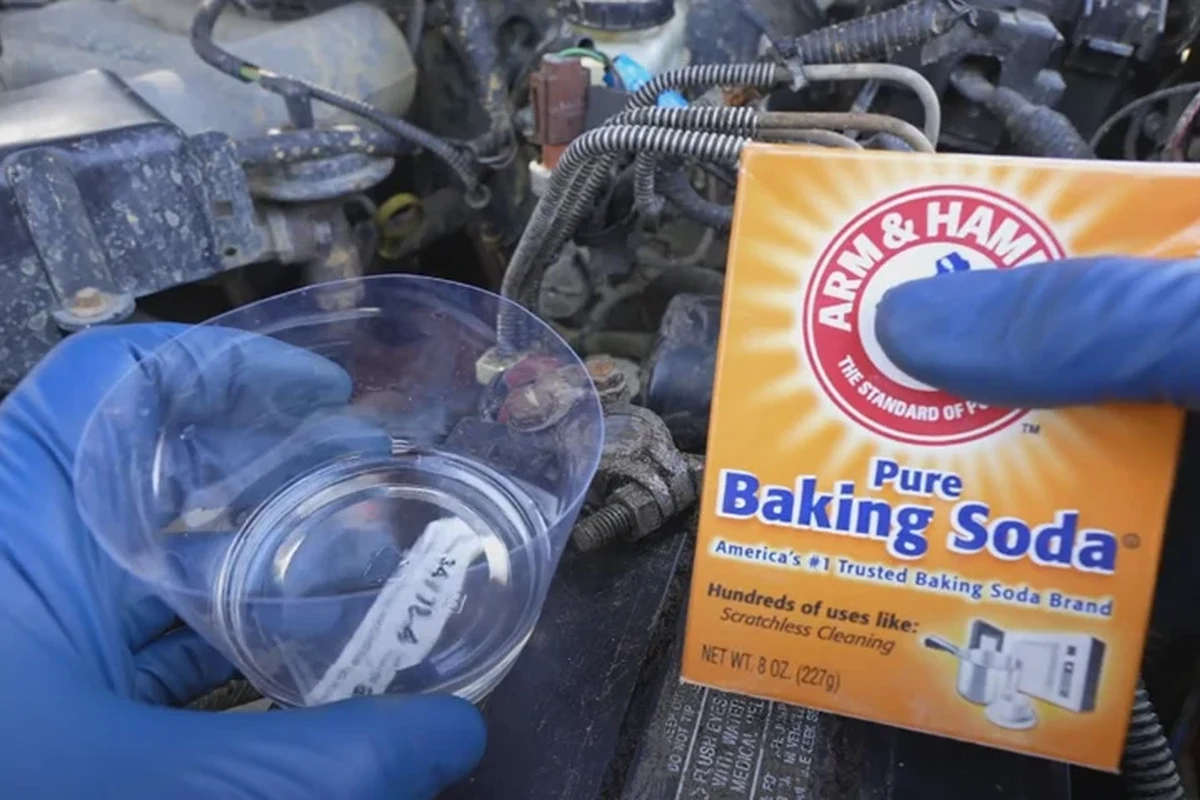
Baking soda is mildly alkaline, so it helps neutralize the acidic residue that often forms around battery terminals and cable ends. That reaction can loosen the crusty white, blue, or green buildup enough to brush away more easily.
This method is most useful for surface corrosion, not for deep electrical damage. If you want a broader look at appliance safety and electrical caution in the kitchen, our guide on whether air fryers are dangerous covers why it is always smart to respect heat, electricity, and manufacturer instructions.
The chemistry behind neutralizing acidic corrosion
Battery corrosion is often linked to acid vapor or leakage around the terminals, especially in lead-acid car batteries. When baking soda meets that acidic residue, it creates a neutralizing reaction that can reduce fizzing and soften the crust.
You may see bubbling when the solution touches the corrosion. That is usually a good sign that the cleaner is working, but it does not mean the battery itself is fixed if the battery is damaged underneath.
When baking soda is appropriate and when it is not
Baking soda is appropriate for light to moderate corrosion on exposed terminals, clamps, and cable ends. It is not the right fix for a swollen battery, leaking case, cracked housing, or any battery that smells strongly of chemicals.
If the battery is leaking, cracked, hot, swollen, or smoking, stop and follow the manufacturer’s safety guidance or get professional help. Do not try to scrub away a serious battery failure with a homemade cleaner.
What You Need Before You Start: Tools, Materials, and Safety Gear
Gather everything first so you do not have to leave the battery half-cleaned while handling wet tools. A tidy setup also lowers the chance of slipping, dropping a wrench, or leaving residue behind.
Baking soda, water, brush, and basic cleanup supplies
Use a non-metal brush if possible, plus dry cloths for wiping and a little water for rinsing. A terminal brush is helpful, but a stiff nylon brush or old toothbrush can work for light buildup.
Protective gloves, eye protection, and ventilation basics
Wear gloves and safety glasses because corrosion can flake off and dust can irritate skin or eyes. Good airflow matters too, especially when you are working around a car battery in a garage or enclosed space.
Even though this is not a kitchen task, the same safety mindset applies: protect your eyes, avoid splashing, and keep metal tools controlled so you do not create a spark near the battery.
Vehicle and battery types this method can safely serve
This approach is commonly used on standard lead-acid batteries in cars, trucks, lawn equipment, and some backup power systems. Always check the battery label and the owner’s manual first, because some battery types and sealed systems have specific cleaning limits.
If you are comparing battery care to other household electrical questions, our article on whether air fryer baskets are dishwasher safe is a useful reminder that cleaning methods should match the material and the manufacturer’s instructions.
How to Clean Battery Terminals with Baking Soda Step by Step
Work slowly and keep the battery disconnected before you start cleaning. The goal is to remove corrosion without creating sparks, shorting the terminals, or forcing liquid into electrical parts.
Turn the vehicle off, remove the key, and make sure all accessories are off. Look closely at the terminals, cable ends, and clamps so you can judge whether the buildup is light, moderate, or severe.
Make a paste or a thin slurry with baking soda and water, then dab it onto the corroded areas. Let it sit briefly so the neutralizing action can start before you scrub.
Use a non-metal brush to loosen the softened residue, then wipe or lightly rinse as needed. Dry the area completely so moisture does not stay trapped around the connection.
Once everything is dry, reconnect the battery according to the vehicle or equipment manual. Tighten the clamps securely, but do not overtighten and crack the hardware.
If you are used to following a clear baking process, think of this like mise en place: the job goes faster and safer when every tool is ready before you begin. That same preparation habit is useful in other equipment decisions too, including reading guides like whether air fryers need to preheat, where setup details can change the result.
How Much Baking Soda to Use for Fast, Controlled Cleaning
Use enough baking soda to neutralize the corrosion, but not so much water that you turn the area into a puddle. A thicker paste gives you more control on stubborn spots, while a thinner mix spreads faster on light buildup.
Recommended mixing ratios for light versus heavy buildup
For light corrosion, start with a small amount of baking soda mixed with just enough water to make a paste that clings to the terminal. For heavier buildup, use a slightly wetter slurry so it can spread into the crust and fizz more evenly.
The exact ratio can vary with the amount of corrosion and how wet the terminal already is. Start small, then add more baking soda or a few drops of water as needed.
Signs the solution is working and when to repeat it
Fizzing, softening crust, and a lighter-colored residue are all signs the cleaner is doing its job. If the buildup is thick, you may need a second application after the first round is wiped away.
Repeat only until the corrosion lifts cleanly. If the area keeps turning green or white after cleaning, the problem may be ongoing leakage or a poor connection rather than simple surface dirt.
Why too much water can slow the process
Too much water can spread corrosion residue into nearby parts and make drying take longer. It can also leave behind moisture that encourages new buildup if the terminal is reassembled too soon.
Battery corrosion often returns faster when clamps are loose, the battery is undercharged, or moisture stays around the terminal after cleaning.
Common Mistakes That Can Make Battery Cleaning Less Safe
Most problems come from rushing the job. A careful setup and the right tools matter more than using a strong cleaner.
Cleaning without disconnecting the battery first
This is one of the biggest risks because a live battery can short if a tool touches the wrong point. Always disconnect power before scrubbing, and keep loose jewelry and metal watches away from the work area.
Using metal tools that can spark or scratch terminals
Metal tools can create sparks or gouge the terminal surface. Scratches may seem minor, but they can make future corrosion worse by giving residue more places to collect.
Leaving residue or moisture behind after scrubbing
Residual paste or rinse water can keep attacking the connection. Wipe the area dry, inspect hidden edges, and make sure the clamps and posts are clean before reconnecting.
- Use a non-metal brush
- Dry every cleaned surface
- Follow the battery manual
- Scraping with screwdrivers or knives
- Reconnecting while damp
- Forcing a clamp that does not fit well
Mixing baking soda with the wrong chemicals
Do not mix baking soda with random cleaners, bleach, or strong acids. Unpredictable chemical combinations can create fumes, splatter, or unwanted reactions around sensitive electrical parts.
How to Tell Whether the Battery Terminal Needs More Than a Baking Soda Clean
Cleaning helps only when the main issue is surface corrosion. If the battery or cable hardware is worn out, the safer choice may be replacement instead of repeated scrubbing.
Corrosion versus swelling, leakage, and cracked casing
Dry crust on the outside is different from swelling, wet leakage, or a cracked battery case. Swelling or leakage suggests the battery may be failing internally, and that is not something baking soda can repair.
When the battery, cable ends, or clamps should be replaced
Replace parts if the cable ends are badly pitted, the clamp will not tighten properly, or the terminal is too damaged to make a secure connection. A weak mechanical connection can cause starting problems even if the corrosion is cleaned off.
Warning signs that point to a charging or electrical issue
If corrosion keeps coming back quickly, the battery may be overcharging, undercharging, or exposed to a moisture problem. Dim lights, slow cranking, repeated jump starts, or electrical glitches often point to a deeper issue than dirty terminals.
If you suspect a charging-system fault, follow the vehicle or equipment manufacturer’s instructions and consider a qualified technician. Repeated DIY cleaning will not fix a bad alternator, loose cable, or failing battery.
Preventing Future Terminal Corrosion After Cleaning
Once the terminals are clean, the next goal is to keep air, moisture, and loose connections from starting the problem again. Small prevention steps can save you from repeating the job too often.
Protective coatings and terminal grease options
A thin protective coating or terminal grease can help slow down new corrosion, but it should be used according to the product label. Apply only after the terminal is dry and properly tightened.
Keeping the battery dry, tight, and properly charged
Loose clamps invite movement, and movement encourages corrosion. A battery that stays properly charged and dry is less likely to build up the same crusty residue again.
- Battery is off and disconnected
- Gloves and eye protection are on
- Brush, cloths, and baking soda are ready
- Area is dry and ventilated
Routine inspection habits for cars, tools, and seasonal storage
Check terminals during regular maintenance, before long trips, and before seasonal storage. A quick visual inspection can catch early buildup before it becomes a power problem.
For readers who also like comparing practical appliance choices, our guide to whether air fryers use a lot of electricity shows the same kind of habit: look at use patterns, maintenance, and real conditions before assuming a device is the problem.
Should You Clean Battery Terminals with Baking Soda? Final Recap for 2026
Yes, baking soda is a smart DIY choice for light corrosion when the battery is in good physical condition and you can disconnect it safely. It is fast, inexpensive, and effective for neutralizing acidic buildup, but it is not a cure for damaged batteries or electrical faults.
Best use cases for DIY cleaning versus professional help
DIY cleaning makes sense when the corrosion is visible, the battery case is intact, and the connection hardware is still solid. Call for professional help when the battery is swollen, leaking, smoking, or repeatedly failing after cleaning.
Practical example of a quick corrosion cleanup
A typical quick cleanup might involve disconnecting the battery, applying a small baking soda paste, letting it fizz briefly, brushing away the residue, and drying the area fully before reconnecting. That simple sequence often restores a better connection without special chemicals.
Safe decision-making based on battery condition and severity
The safest choice depends on what you see. If it is just crusty surface buildup, baking soda is a practical first step; if the battery looks damaged or the problem keeps returning, replacement or professional inspection is the better move.
Cleaning battery terminals with baking soda is safe and effective for routine corrosion when you disconnect the battery first, use minimal water, and dry everything completely. For swollen, leaking, or repeatedly failing batteries, skip the DIY fix and get expert help.
Frequently Asked Questions
Yes, baking soda is commonly used for light surface corrosion on car battery terminals. Disconnect the battery first, use a small amount of solution, and dry the area completely before reconnecting.
Start with a thick paste for light corrosion and a slightly thinner slurry for heavier buildup. The exact mix depends on how much residue is present, so begin small and add a little water or baking soda as needed.
Yes, disconnecting the battery first is the safest approach. It lowers the risk of sparks, short circuits, and accidental damage while you scrub.
Quick return corrosion can point to a loose clamp, moisture, overcharging, undercharging, or a failing battery. If it keeps coming back, the battery or charging system may need inspection.
No, baking soda cannot repair swelling, cracks, or leaks. Those are signs of battery damage, and the battery should be handled according to the manufacturer’s safety guidance.
A light rinse or careful wipe can help remove residue, but the key is drying the area completely afterward. Leaving moisture behind can encourage new corrosion and poor electrical contact.